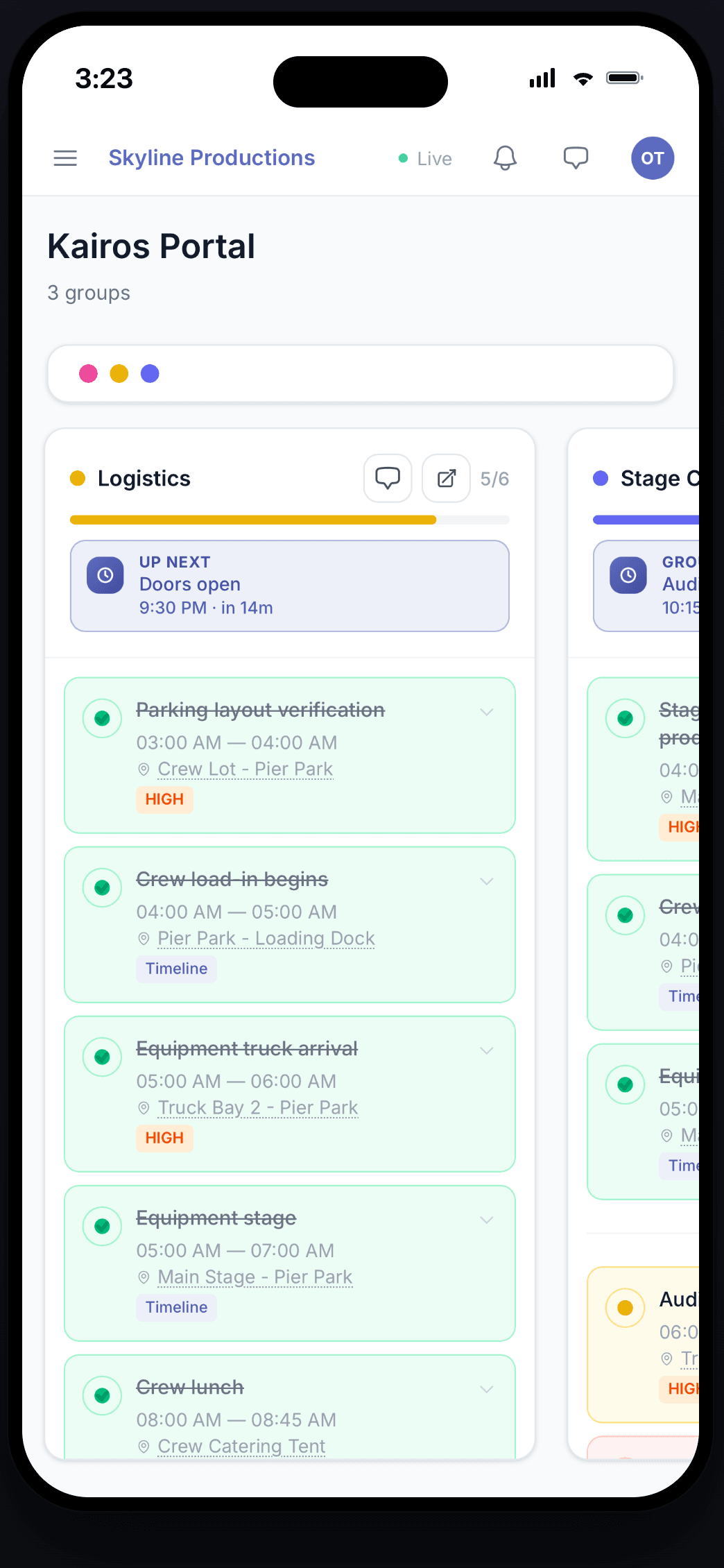
Stop running events from a group chat.
Every team, every itinerary, every role — in one live coordination dashboard.
What is companion.
companion. is the live coordination dashboard for teams running events — one place where itineraries, roles, groups, and chats stay in sync as the day changes, instead of scattered across spreadsheets and group texts.
Built for
Made for the teams behind the day.
From a single stage to a multi-day, multi-site operation — companion. is purpose-built for the people running live events.
See it in action
The whole operation, live on one screen.
How it works
Up and running in under an hour.
Build your run of show
Import an existing itinerary or build it in minutes — days, locations, tasks. One source of truth instead of a dozen spreadsheets.
Set up your team
Group people the way you actually work, assign roles, and invite everyone by email or link. Each person sees exactly their view — nothing more.
Run the day live
The plan updates in real time. Chat by group, broadcast announcements, track the team on a live map — then debrief with analytics.
Features
Everything your event runs on.
Real-time itineraries
Every team member sees what's happening, when, and where — updated live as the event changes.
Role-based access
Production, talent, vendors, security — each role gets the views and permissions they need.
Groups & members
Organize the team into the units that match how you actually work, and assign tasks to the right people fast.
Announcements
Broadcast updates to all groups or just one — with scheduled delivery for time-zoned events.
Chat tied to your itinerary
Each group has its own thread alongside its tasks and roles. @mentions reach the right people via push and email — no missed messages.
Live team tracking
See your team on a live map during the event — opt-in, role-gated, and off automatically once the day's last task is done.
FAQ
Questions, answered.
- Do attendees need the app?
- No. companion. is for the team running the event — production, crew, vendors, security, and talent — not your audience. There's no attendee app, ticketing, or check-in to manage; it's the live coordination layer your staff runs the day on.
- Is companion. an app or a web tool?
- Both. There's a full web dashboard plus a native app for iPhone and iPad on the App Store. On Android, you can install companion. straight from your browser as an app. Everyone on your team sees the same live event, whichever they use.
- How long does it take to set up an event?
- It depends on the event, but most teams are up and running in under an hour — often 20–30 minutes. Import an existing itinerary to skip the manual build, then invite your team by email or link and assign roles and groups.
- Who can see the live location map?
- Only the roles you grant. Live tracking is opt-in for each team member and off by default. It runs only during the active event window and stops automatically once the day's last task is done — so no one is tracked before or after the event.
- Can I control what each person sees?
- Yes. With role-based access, owners, admins, managers, staff, and members each get exactly the views and permissions they need. Sensitive details — locations, vendor info, talent logistics — stay with the people who should see them.
- Do I need an internet connection?
- Yes. companion. syncs in real time, so each device needs an internet connection during your event. At venues with patchy signal, make sure your team has Wi-Fi or cellular coverage.
Billing questions are answered on pricing — or get in touch.
Now on iPhone
Run the event from your pocket.
The full companion. itinerary, your group chats, and live tracking — wherever the day takes you. Free on the App Store.

 Scan to download on your iPhone